๐Ÿ†“ Free on the Mac App Store

Browse your
Claude Code history

Claulog is a native macOS app that organises every Claude CLI session by project, tracks your API costs, and lets you search or resume any conversation in seconds.

Download on Mac App Store

Requires macOS Ventura 13.0 or later ยท Free

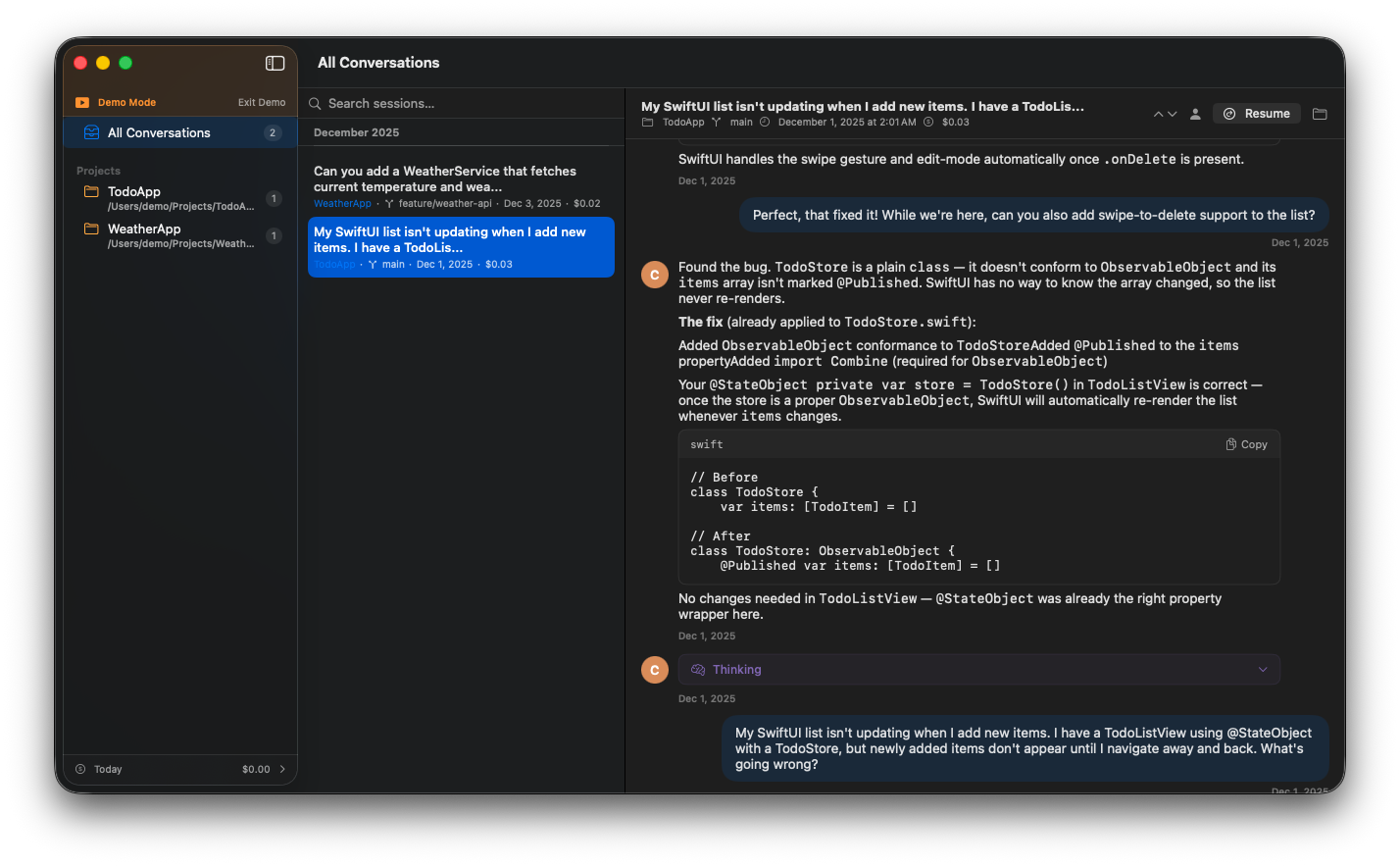
Claulog main interface showing conversation history organised by project

Your Claude sessions are valuable. Don't lose them.

If you use Claude Code seriously, your ~/.claude/projects folder is full of conversations โ€” architecture decisions, debugging sessions, code reviews. They're all sitting in raw JSONL files with no way to find or revisit them. Claulog fixes that.

Everything you need, nothing you don't

Built specifically for Claude CLI users.

๐Ÿ—‚๏ธ

Project-based browsing

Sessions automatically grouped by project directory. Find any conversation in seconds.

๐Ÿ’ฐ

Cost tracking

See exactly what each session cost. Daily and weekly spend charts so nothing surprises you.

๐Ÿ”

Full-text search

Search across session titles, file paths, git branches, and full message content.

โ†ฉ๏ธ

One-click resume

Copy the exact claude --resume command to pick up any session right where you left off.

๐Ÿงญ

Message navigation

Jump between your messages with โ†‘โ†“ arrows, or switch to "My Messages Only" for a focused view.

๐Ÿ”’

Fully private

Reads your local ~/.claude/projects folder. No account, no sync, no data ever leaves your Mac.

Simple setup, powerful browsing

Grant access once. Browse forever.

Setup

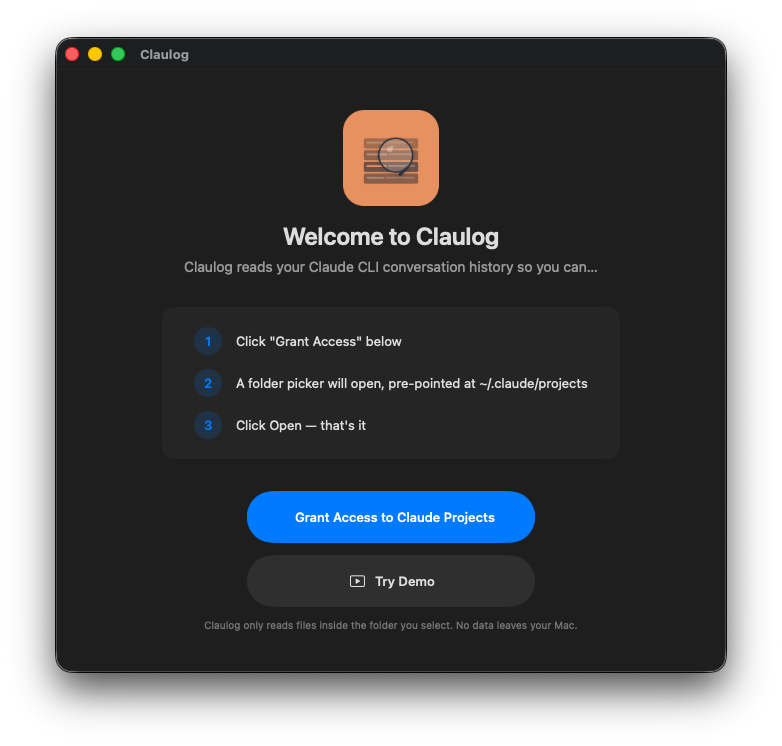
Claulog welcome screen with three-step setup process

Browse

Claulog main conversation browser showing project list and message history

Up and running in 30 seconds

1

Install from the App Store

One click, no account required.

2

Grant folder access

Point Claulog to your ~/.claude/projects folder. That's all it needs.

3

Browse your history

All your Claude Code sessions, organised and searchable, instantly.

Frequently asked questions

What is Claulog? +

Claulog is a free native macOS app that lets you browse, search, and resume your Claude Code conversation history. It reads your local ~/.claude/projects folder and organises every session by project, tracks API costs, and lets you search across all your conversations.

Is Claulog free? +

Yes โ€” completely free on the Mac App Store with no in-app purchases or subscriptions, ever.

Does Claulog send my data anywhere? +

Never. Claulog reads only your local ~/.claude/projects folder and never uploads, syncs, or transmits anything. No account required.

What macOS version does Claulog require? +

Claulog requires macOS Ventura 13.0 or later.

How do I resume a Claude Code session from Claulog? +

Select any session in Claulog and click the resume button. It copies the exact claude --resume command to your clipboard so you can paste it in your terminal and continue right where you left off.

Can I search my Claude Code conversation history? +

Yes. Claulog supports full-text search across session titles, file paths, git branches, and complete message content.

Start browsing your Claude history

Free. Private. Native macOS.

Download on Mac App Store

macOS Ventura 13.0+ ยท Free